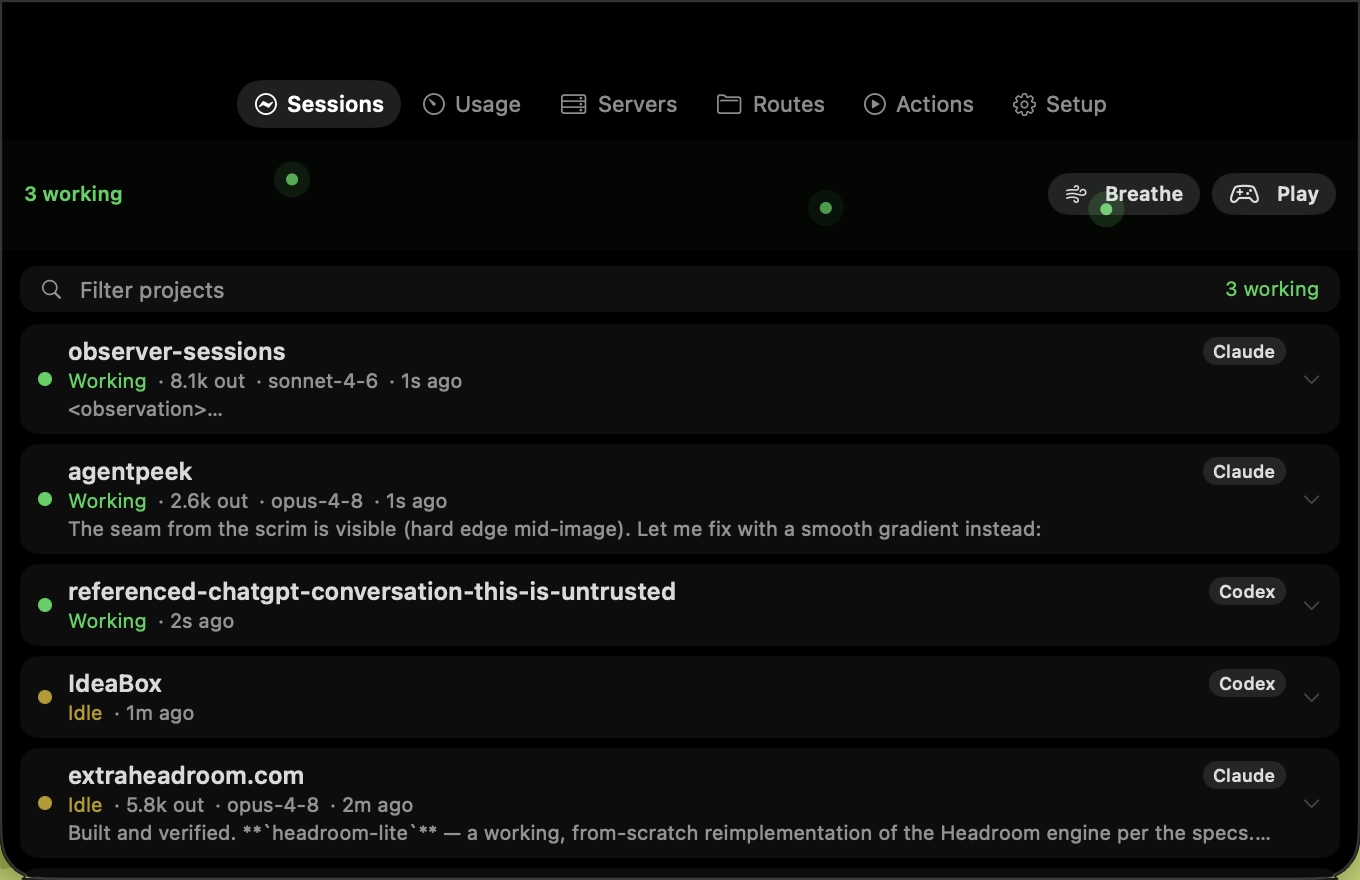
Sessions
See every Claude Code and Codex session with its project, branch, model, last reply, transcript, and live state.
Native macOS · Signed and notarized · Open source
AgentNotch lives in your notch and menu bar, keeping Claude Code and Codex sessions, permission requests, usage, and local servers close without adding another dashboard to manage.
macOS 14+ · Apple silicon · Notch optional
Click the notch. There is also a keyboard shortcut hiding in plain sight.
Why I built it
I kept running 5 to 10 coding agents at once and drowning. Which one is stuck? Which one needs permission? What is all of this costing me?
So I built the utility I wanted: a native, local command center that stays out of the way until something needs attention.
Inside AgentNotch
See every Claude Code and Codex session with its project, branch, model, last reply, transcript, and live state.
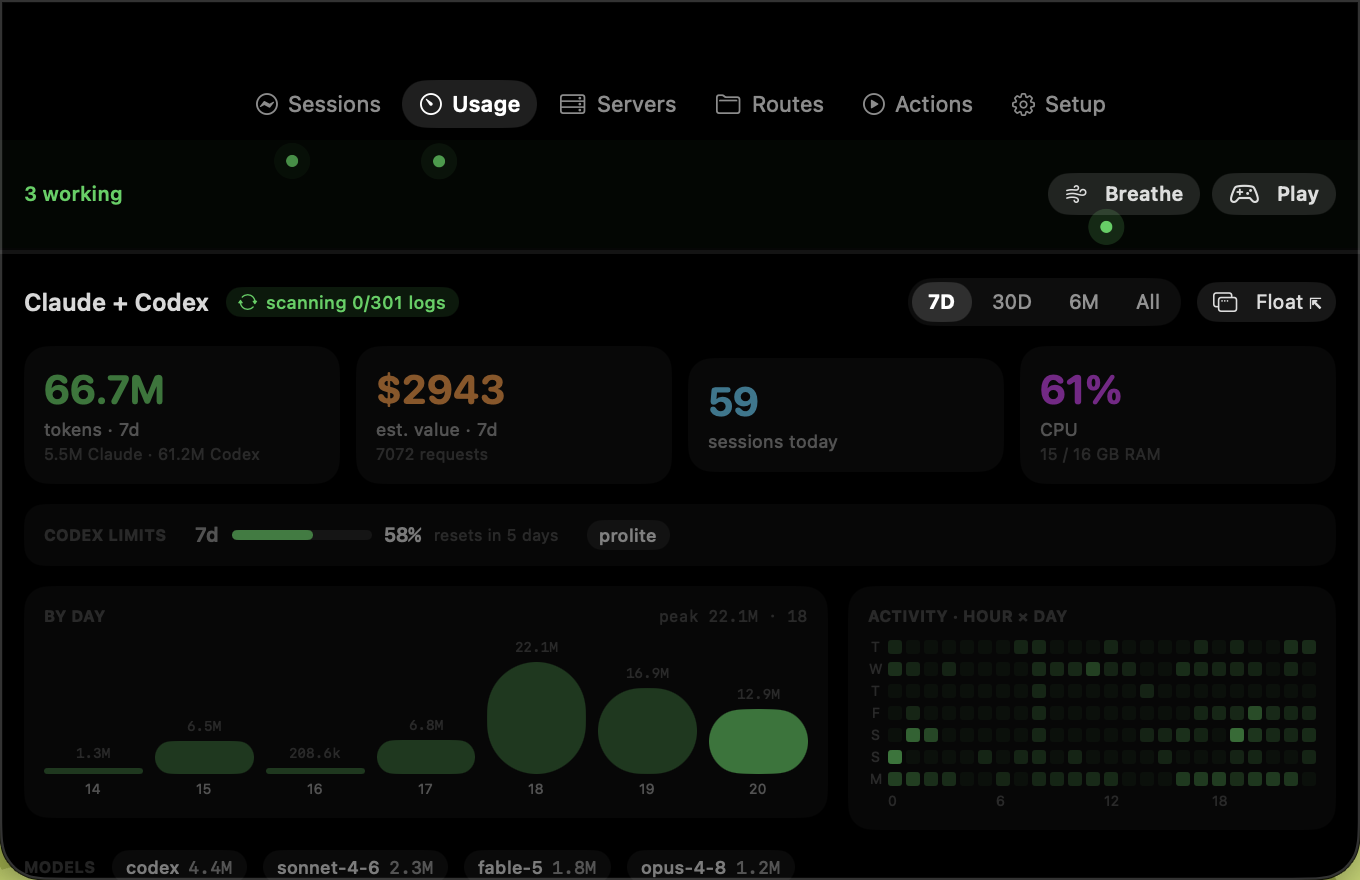
Understand 7-day, 30-day, six-month, and all-time token usage, estimated value, model mix, and real Codex limits.
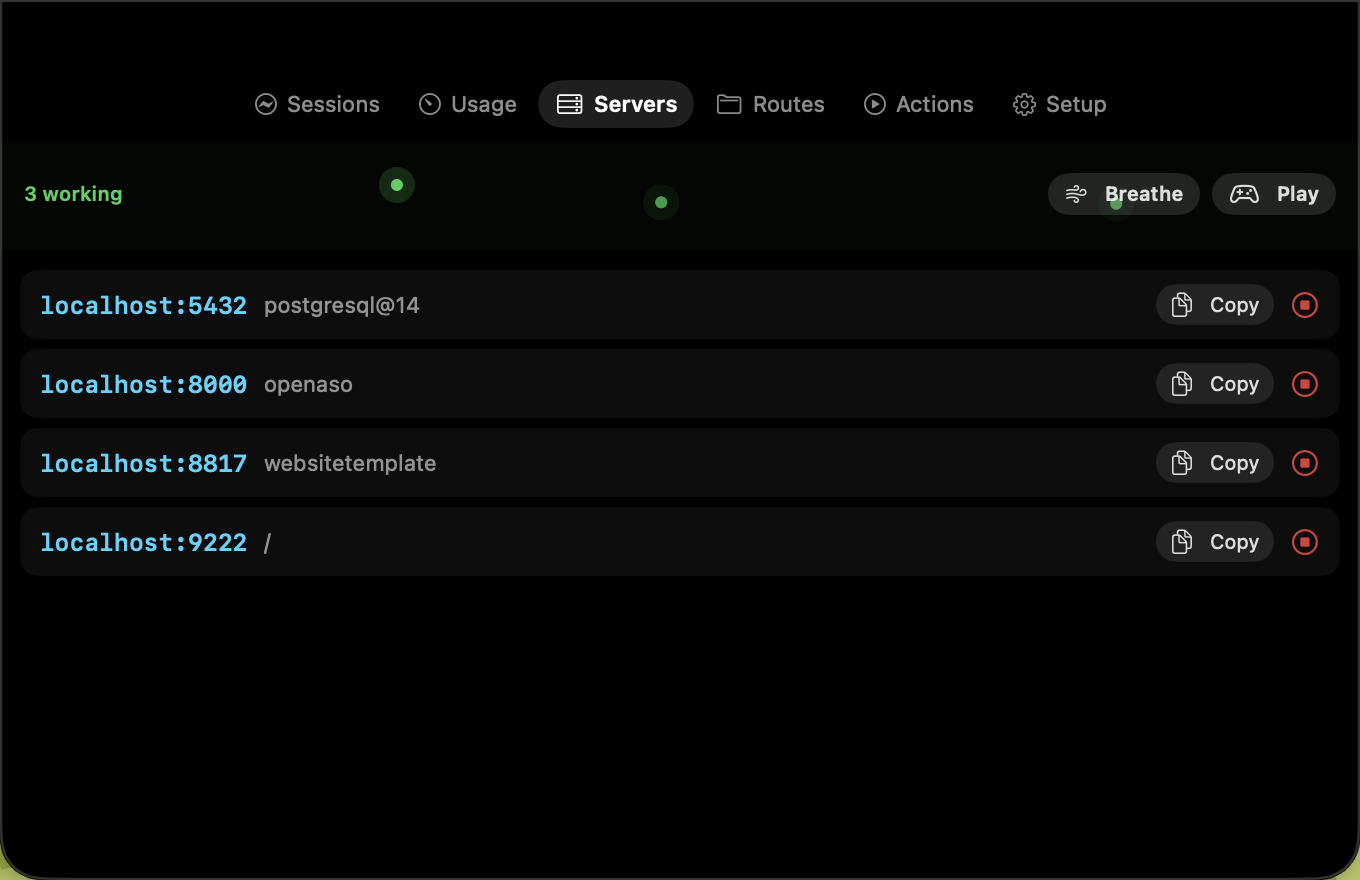
Find local development servers, open their URL, copy it, stop the process, or jump back to the right terminal.
Get an alert the moment a session needs permission, then open the exact place where your input is required.
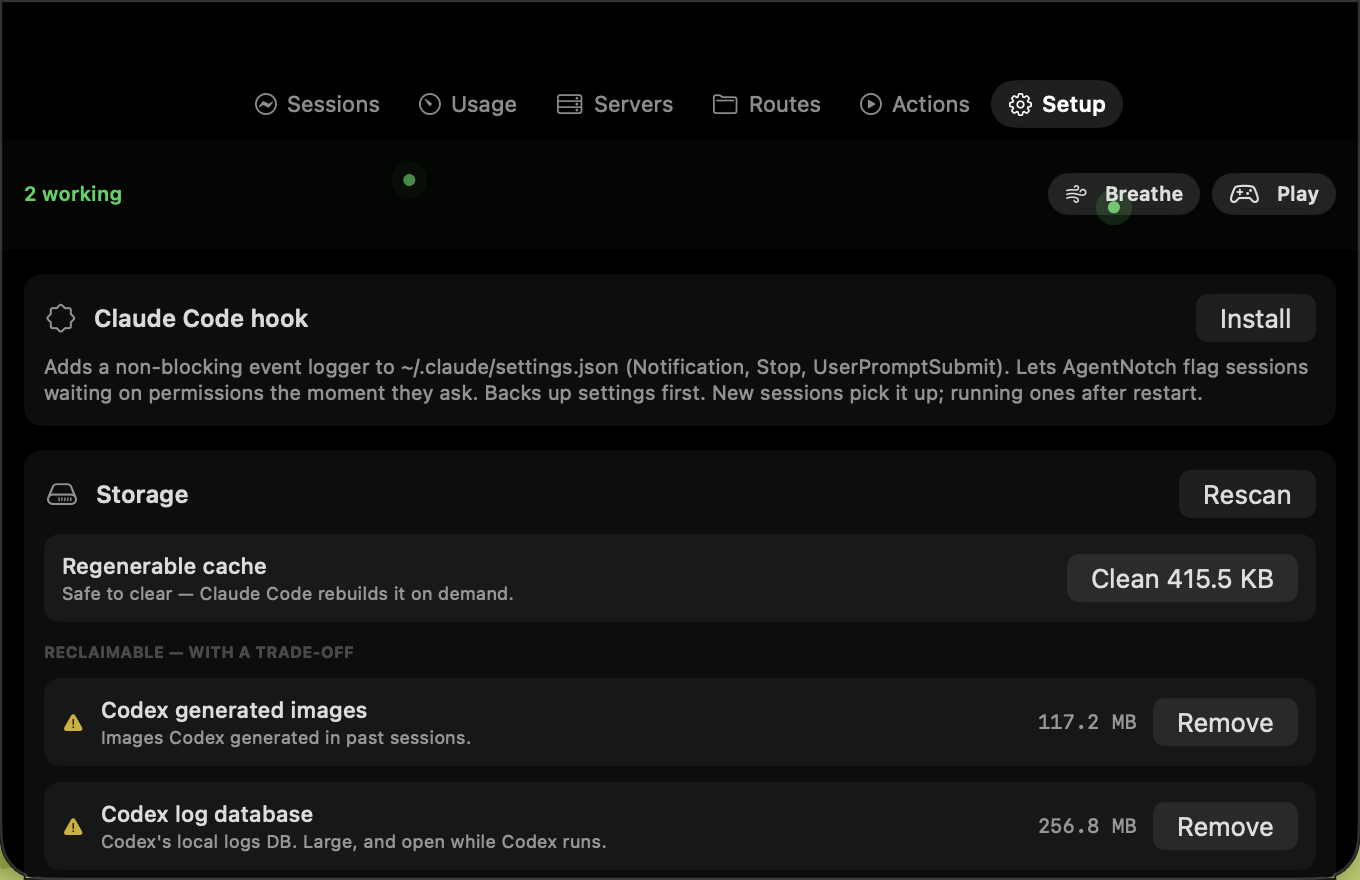
Inspect reclaimable agent storage and clear only regenerable cache through an intentionally conservative cleaner.
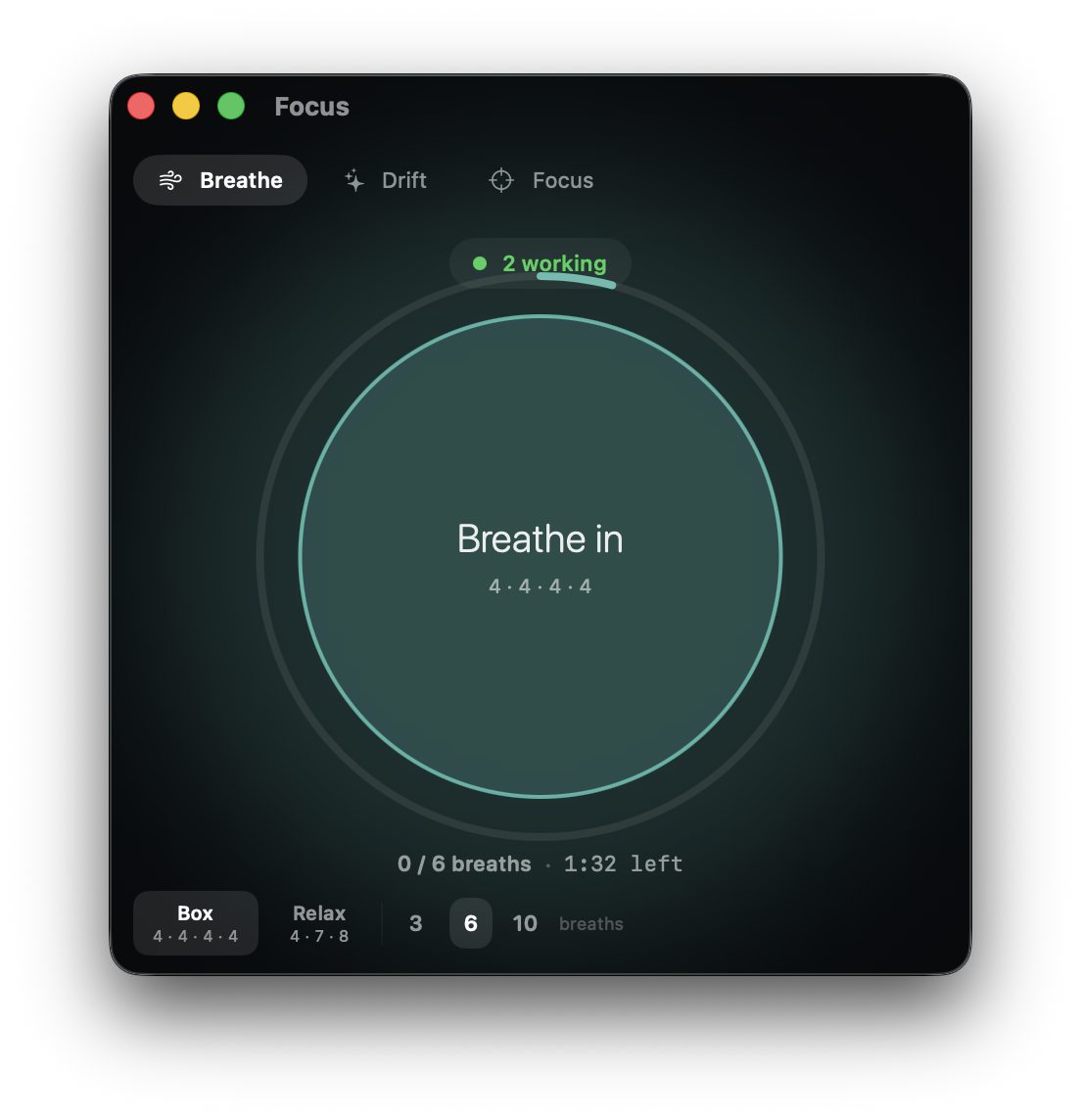
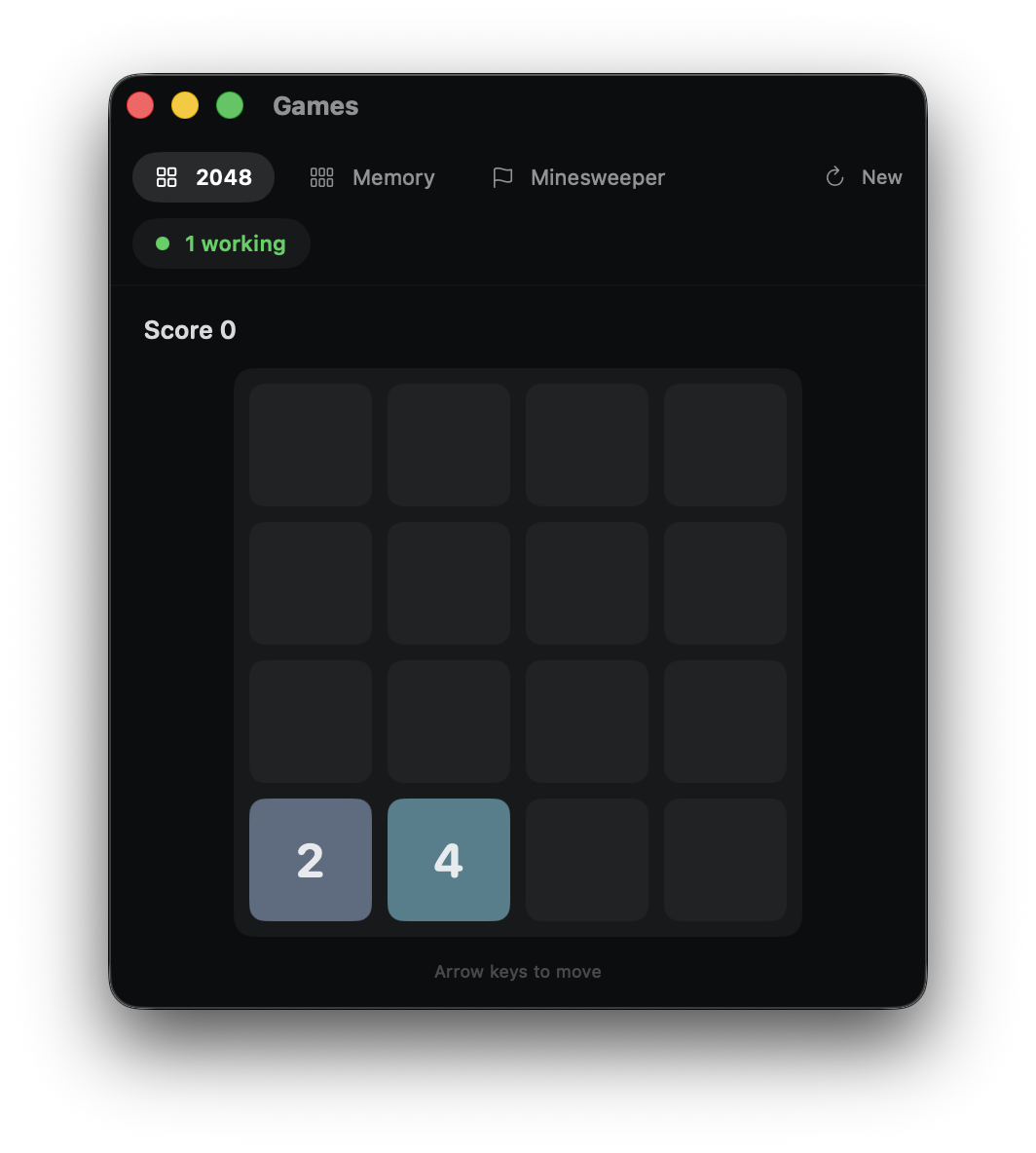
Step away with a breathing pacer or three calm games while a live signal tells you when every agent has finished.
Know the cost
Move between recent and all-time activity, see Claude and Codex separately, inspect model mix, and keep real Codex rate limits in view. The first deep scan is cached, so the next one is immediate.
Return at the right moment
Waiting sessions turn amber, move to the top, badge the menu bar, and show the ask. Local servers stay alongside them with one-click routes back to the browser or terminal.
The utility drawer
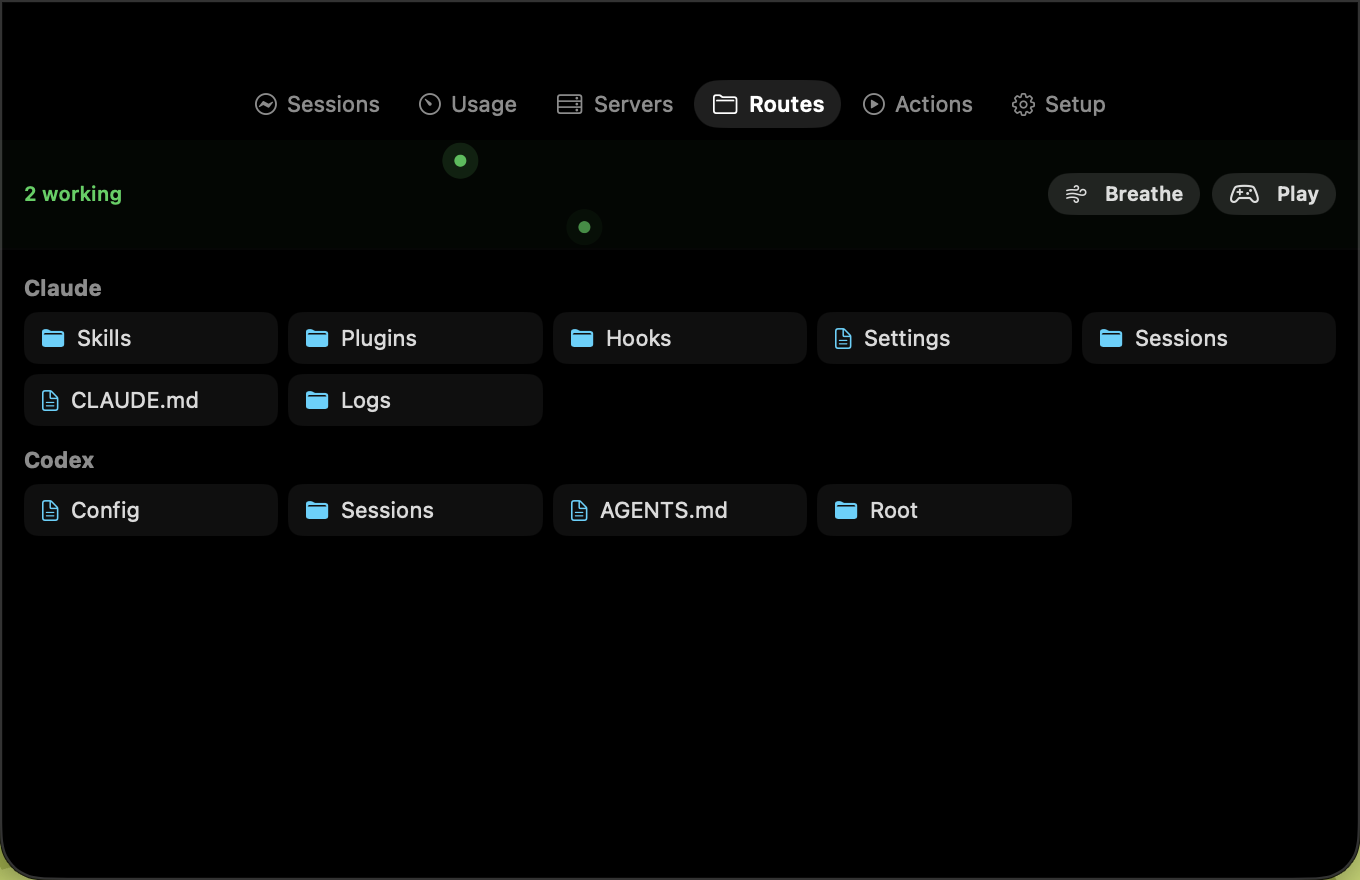
Jump to the files your agents actually use. When storage grows, AgentNotch separates safe cache from anything that carries a real trade-off.
When the fleet gets loud
Breathe, play a quiet game, or focus on one session at a time. A live status pill keeps watch and changes to “All agents done” the moment the work finishes.
Local by design
No account, network service, or telemetry. AgentNotch reads local Claude Code and Codex session records, writes its own settings under ~/.agentnotch/, and makes permission hooks explicitly opt-in.
Install
Signed with Developer ID · Notarized by Apple · MIT licensed